
 Continue with onX Maps
 Sign in with Facebook






New and Experienced Climbers Over 50 #13


|
|
rgold wrote: Panasonic Lumix DC-TS7 is a "tough" point & shoot with a viewfinder, 4.6x zoom w/out lense extension, shoots 4k video, has in-body stabilization, and is waterproof down to 102ft. |

|
Andrew Rice wrote: Not only am I a fan of Jimmy Chin, but I am a fan of surfing. I was only able to stand up on a board once, when I was 16--but for some reason back then that was not my job. My job back then was to sit on the worst beaches every weekend while my surfer boyfriend showed off in the waves. As I recall, he wanted to get 'tubed'. (new lingo now?) The board he coveted was by a dude, David Nuuhiwa. Most Saturdays for several years the various boards were loaded on top of the van, lots of guys piled in, and off we would go to wherever the fog was thickest and the sand most sparse. I was a Zeppelin fan, they loved the Stones, on an 8-track... so we listened to the Stones. Usually Ventura, Rincon, or down to a San Diego beach called Garbage where I sliced up my foot and required immediate surgery. I don't know why I went along with this so long. What I remember is that the beach WE got was the one that looked the shittiest. If it was sunny and pretty, it got passed by. For Christmas he gave me a picture of himself surfing. And while I was laid up for 3 months with the foot in a cast, he snuck over to his old girlfriend's house and carried on. But now, quite honestly, a surfing vacay is top of my bucket list. (I think I heard the old boyfriend had a major heart attack. He no longer surfs.) Even if it were a couple of days at Seal Beach, or maybe when I take Tony down to Mission to show him San Diego ... just to try it, just to see how it feels to paddle and surf, at this 'late age'... I think I could do it. Just like Jimmy... When the (mostly) guys are out on the beach early in the mornings, I am sure there are probably instructors out there, too, who would give me an hour or two. |
|
|
Back to cameras. (Thank you, ShuShu, I checked out the Panasonic, too.) We stopped by Best Buy yesterday, and there was a guy there who actually knew something, and had all the cameras plugged in and operational... so I got a good overview. There's going to be no perfect solution for me. But I like Bob's camera, the Canon Elph 180. It's REALLY small, and it can be dropped into a pocket. I'm sure it can be smashed, but not like my iPhone. It has an actual Zoom lens, and we aimed it all over the store to see how well it works. The store model has a 8x zoom. For a little more money, the next upgrade has a 10x Zoom. After taking a photography class on my iPhone, we were taught that you can really only digitally 'zoom' times two. Beyond that, you get distortion. This has been a big problem for me with outdoor photography using my iPhone... it wasn't made to take a picture of a climber on a wall at 200 paces. So I opted for the longer Zoom... which might solve a lot of problems. There's a memory card. Everything uploads. I also need simplicity, since I'm overwhelmed every time I have to figure out new technology. But it appears to have very few buttons, and for basics, it'll go easily. This liberates my iPhone for keeping tabs on my blood sugar and for playing loud Led Zeppelin music at very quiet crags. And running Earthmate with the Garmin. --------------------- Speaking of Earthmate, maps, etc. I am ready for the next step, but overwhelmed by the dozens of Youtube videos available. I stood in front of "Cave Corridor" again yesterday, with guidebook(s), and couldn't make any sense of what I was looking at. So... how do you all identify your crags off line? (Please don't laugh, or judge.) Does MP download all of its innards into a Smart Phone? There are actually 4 rock formations... add a fifth next to the road. Two of them are identified as the North Rock and the South Rock... and these two run roughly East-West. WHY? If I was a climber (big IF)... I still could not identify a route on these formations. There are GPS coordinates listed -- maybe this is how you at least identify the formations? 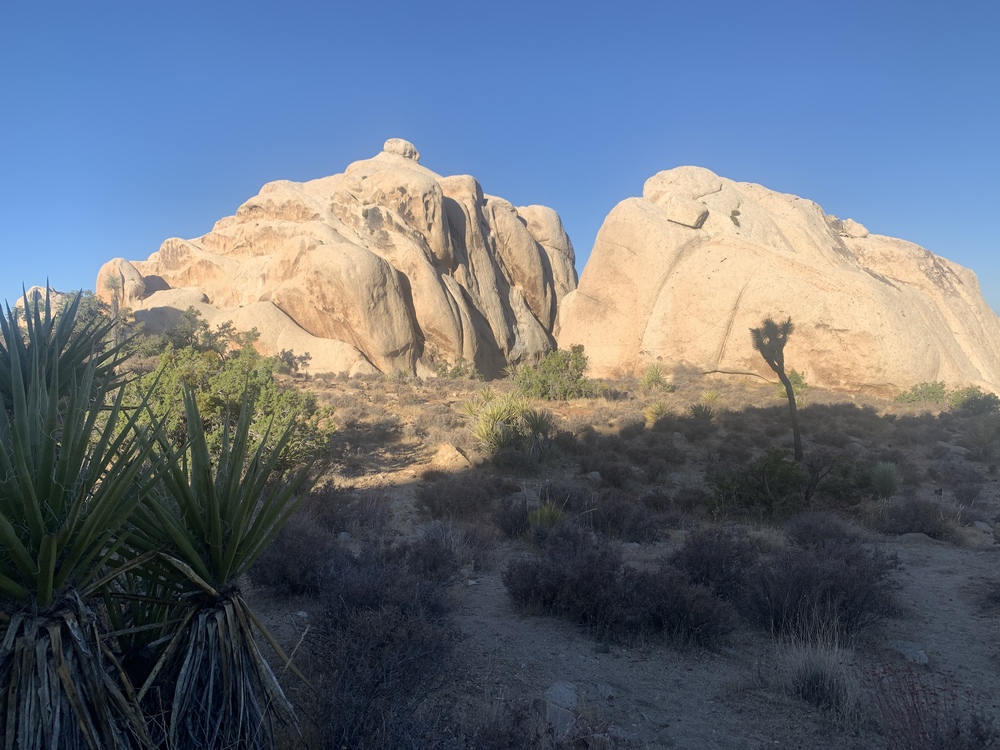 As for Earthmate... more technology, and maybe Senor's Gaia would do this better. I'm setting up little challenges for myself, where I won't push until lost. I set a Waypoint at "Thin Wall". I set another Waypoint at "Houser Buttress". And I wanted to find a route between the two. So far, cannot do it. Very upsetting. The fact is, on foot, with massive rock formations in the way, there is no 'path' that can be reliably identified. What it doesn't show me is what I'm walking around and through. ( I already know that this cannot be more than a few hundred yards. The easy solution is to walk back to my car in Real Hidden Valley, and walk over to the Buttress.) 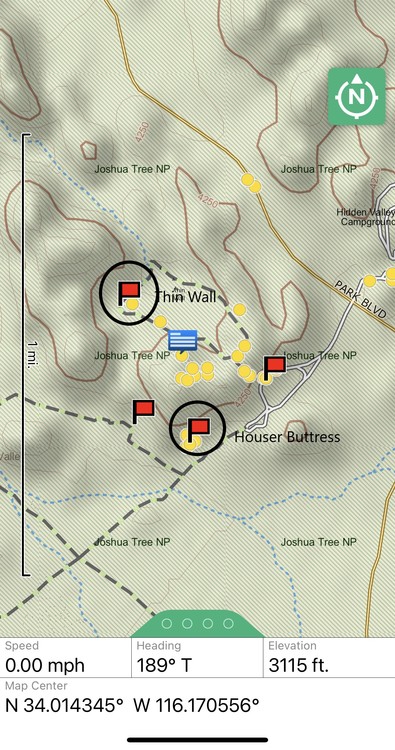 *(Canon Cameras US 1084C001 Canon PowerShot ELPH 190 Digital Camera w/ 10x Optical Zoom and Image Stabilization - Wi-Fi & NFC Enabled (Black) |

|
Lori Milas wrote: Do not feel alone on this. This is why we have adopted the practice of taking the first day at a new crag and just hiking around to find places. That way when we become temporarily disoriented we do it without lugging climbing gear around. I usually have to match at least one route with a picture/drawing/description in the beta in order to get locked in on where we are at, then start counting routes left or right to the one we want. Custer State Park guidebook was one of the hardest to follow. MP does download it's innards to a smart phone. But there are glitches. Download the app and login. Be sure to allow the app to find position. Then you have to find the manage Areas button, when you click on it you will get a list of states. Click on CA, little circle will tell you progress. Go back to main page, you will see California listed, click on that. First page will show a similar California page that is on the web site, but select all areas at the top left. A list of climbing areas will appear, click on Joshua Tree, JTNP will be in bold black letters, just to the right in small blue letters is View Area, you will also see sub areas below, we'll get to those in a moment. When you click on View Area the head JT page will come up, second line has a blue box that says "All Areas" another blue box that says "Map" and two symbols. The first symbol is the bookmark function, looks like a box with a v in the bottom, touch that, a pop up will inform you that you have added a bookmark. When you go back to the main page JT will be there as a bookmark. You can add favorite sub-areas bookmarks in the same manner. Scroll down, you will see a description, then Classics, then some pictures. On the right side of the photos you will see "Download All Photo's", click on that. For the JT section you will get a pop up saying it's too large of a download, when this happens you have to go to each sub-area, follow the same process and download the photos. Scroll back to the top, select All Areas. Pick a sub area. Page setup is the same as the top page, so you can add bookmark, scroll down and download the pictures for that area. Unfortunately you have to do that for each sub-area at JT. Smaller crags will download all photos from the main area page. Now you are loaded. After you have downloaded the areas and the pictures you can view them without cell service. Map If you have service when you click on Map it will have a google earth background and have blue circles naming the area. If you do not have service you will have a blank background, but the circles still appear. You can click on the circles to select the area. You will jump to the area page. When you click on map and you are close to the area a blue dot will appear on the screen, that's you. You can now walk and watch the blue dot get closer to the area you are headed for. It is not highly accurate. GPS coverage combined with inaccurate coordinates in MP make it real interesting some times. And then cell phone without service location function is slow to update, sometimes up to a minute. But what it does for you is gives you and idea if you are headed in the correct direction and if you are getting close. I am often surprised by the number of people that I meet that are temporarily disoriented that don't know about this function of MP. |
|
|
Dallas R wrote: Wow. Dallas, you always show up with the goods. Thank you for your precise instructions that I’m sure I can follow. All this information that you (and others) have been kind enough to share... and the coaching.. has been such comfort and support. There’s just no way to explain. I know this is loony. I know it is crazy... a city woman, heading out alone in the desert, to learn to climb and navigate. Just this summer alone I’ve graduated from stick-snakes and wondering what rock formation I was hiking up (the Sentinel ) ... to hopping over boulders and knowing landmarks and planning big climbs. Nearly all of it is because of the coaching and encouragement from this group. THANK YOU. |
|
|
Lori, re. surfing. When I started surfing in the 80s it was noteworthy to see even a single woman or girl in the water. Surfer Girls were like Unicorns. |
|
|
Andrew Rice wrote:
|
|
|
Lori, No App or GPS tech will show you how (least of all the easiest way) to get from A to B. This is especially true for getting from the Thin Wall to the Houser Buttress area. That type of route-finding is far too granular for a GPS or Topographic based App. You might get a vague idea of where small washes or canyon-ettes run between formations and the general direction you should be aiming. You are going to have to take that general info and use your eyes and and mental map and figure out how to go. Generally, you would want to be on the Loop Trail (which passes on the western side of The Thin Wall), and stay on it until you are past the northern end of The Thin Wall. At this point, you can head left (southwest) off the Loop Trail into a somewhat open area, and then slightly left (south) until you you start to follow a small wash/draw, that heads between a lot of small formations and rocks. [One of the first formations you will pass is Wimp Tower - higher up to your left]. If you look at the topo map, you can see the /\ shape of the elevation line running south that tells you that this is a wash/canyon. At some point, you will pass a couple former rancher's dams (probably all filled with coarse sand). When wetter, toads will be hatching and breading in these spots. These are near the back side of Miles of Piles. Things open up around here and you will encounter Zombie Woof. Proceed further south. Continue past Zombie Woof until you hit the trail that runs east/west from the Real Hidden Valley Parking Lot past Houser Buttress. Turn left (east) and follow the nice trail to Houser Buttress and back to the parking lot. |
|
|
Lori Milas wrote: [Randy posted while I was typing this. He is of course a local expert, whereas I'm 3,000 miles away in what is a different world in many ways, with no worthwhile local knowledge at all, so the most I can add is some very generic principles, which is what I did.] Not sure how you are trying to navigate. You can almost never plop down a pair of waypoints and then try to walk directly from one to the other, and no map will show the fine detail of terrain to be navigated. You can inspect the map and look for paths that skirt cliff bands and drop-offs and avoid steep ascents and descents, to the extent that these are captured by the contour intervals. I've added two possibilities to the Gaia gps map of the area. The red one gains 48 feet of elevation and the green one 41 feet. They give a hint of how you might go and would provide guidance for proceeding and back-tracking if the route isn't working out. They are tracks; Gaia will point you along then in either direction. But they are made up of straight-line segenents; you can't literally walk those paths. ln any case, there could be all kinds of local features that make either route impractical if not impossible, so you're in exploring mode no matter what. 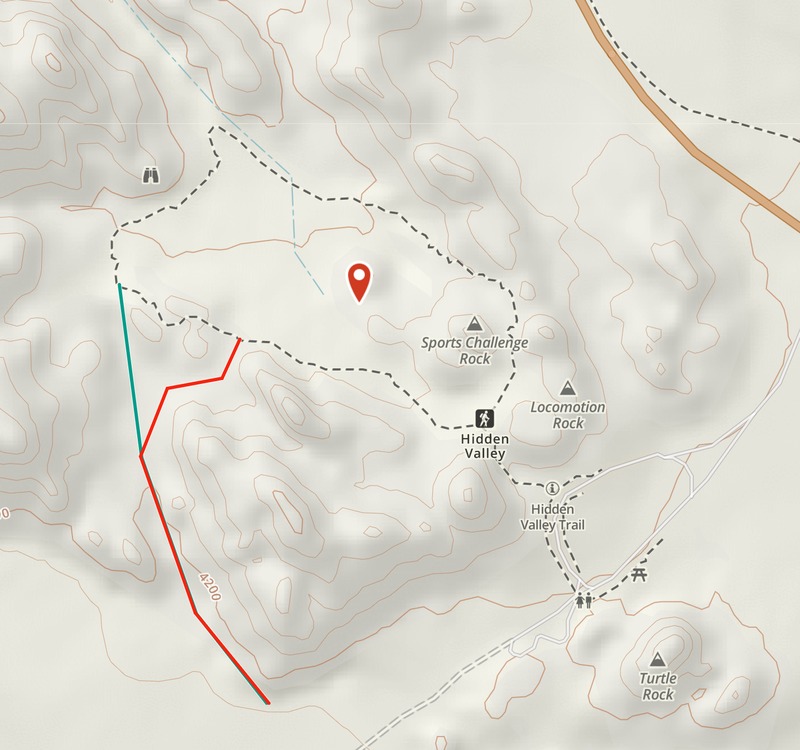 An interesting Gaia feature, if Verizon is your carrier, is a cell phone service map. I have no idea how accurate it is. Generally no service, except possibly on a section of the Hidden Valley trail. 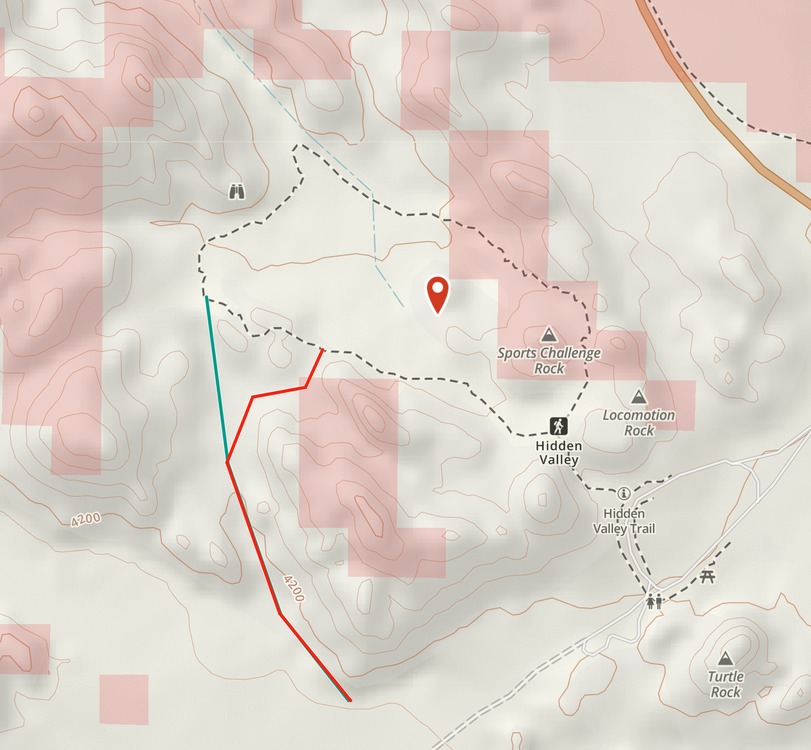 |
|
|
|
|
|
Today I climbed Walk on the Wild Side, 5.8, here in Joshua Tree. I've done it a few times in the past, but it's been many years. Except for one stopper on the first pitch, it's all bolts, but with a number of healthy run-outs it would never be considered a sport route. I've been thinking about doing this all summer, climbing a bunch of slab routes and waiting for it to cool down some. It felt great to get on a nice multi-pitch route after doing only short climbs for so long. No, it ain't the world's first 5.16, but it was immensely satisfying to set a goal and see it happen. Setting sail up a sea of granite. 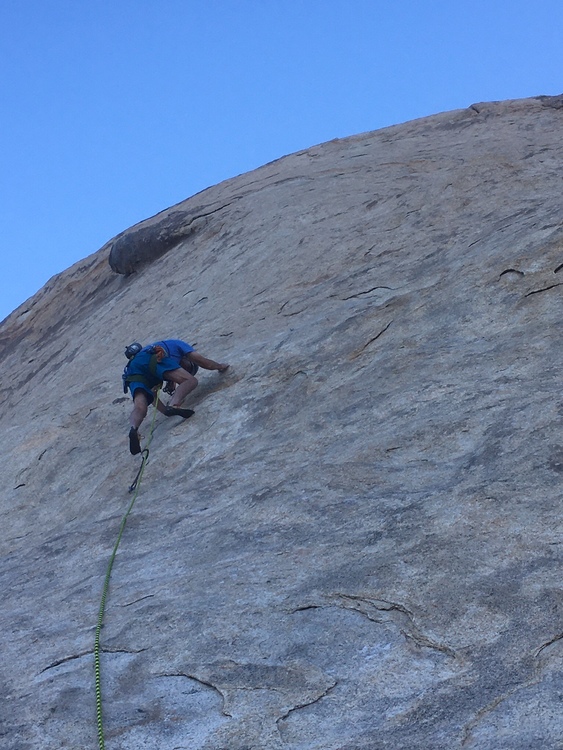 Nearing the top of the first pitch. 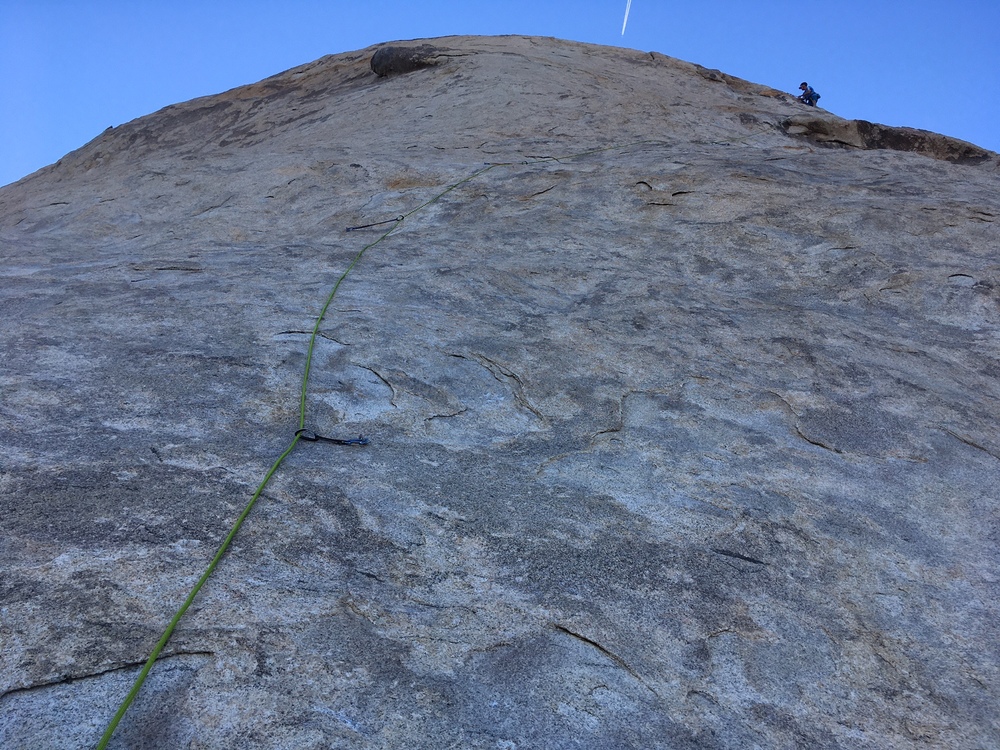 |
|
|
Jarrod Webb wrote: As a 58 year old climber that's only been at it for 8 years I'm always interested in that incredible depth of experience that one would have after climbing that long... |
|
|
Brandt - Jim and I climbed WOTWS in December. Very satisfying route - heady!!!! I love slab and found it to be quite difficult for the grade. Nice job!! |
|
|
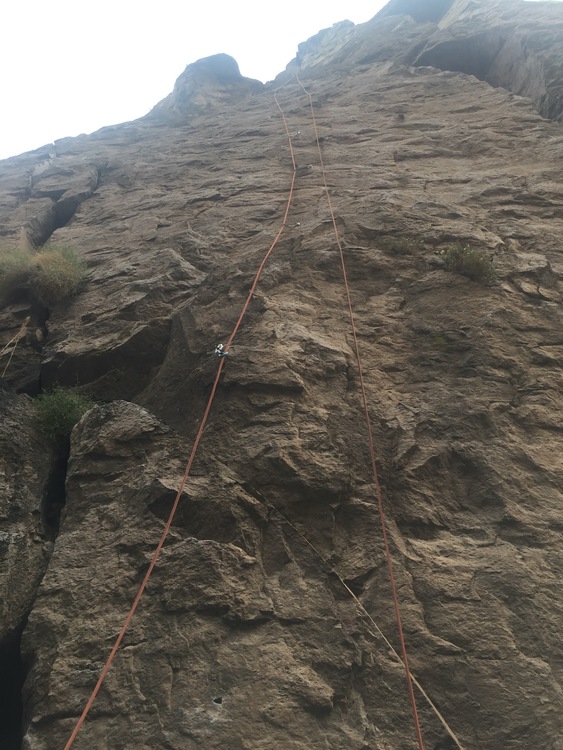 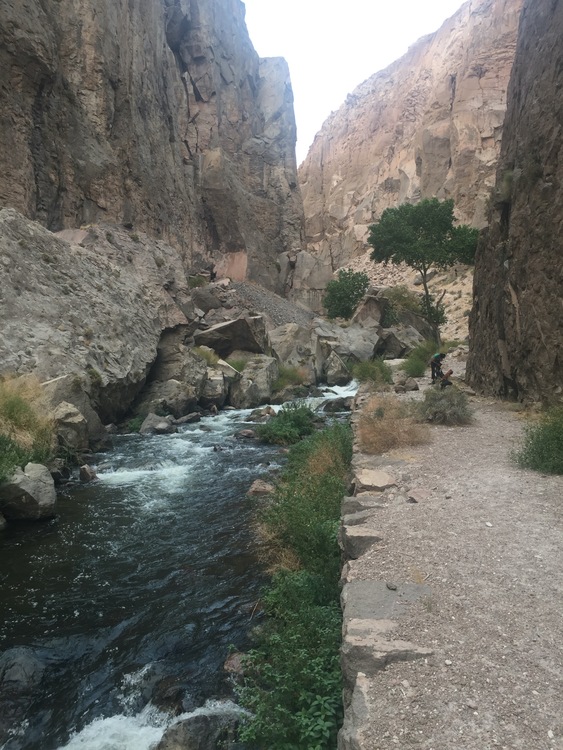 I had a really fun day in the Inner Gorge area of the ORG today. Most of the day, my partner and I shared the adjacent area with 2 other parties, also women over the age of 50. That was rather nice. A bonus was running into Dan McDevitt down there. He's been putting up a bunch of really good new routes in that area so it was nice to be able to thank him in person. The route in the photo is named Frangelico, put up by my friend Bob Zambetti a few years ago. Six new-to-me routes today! Now after 3 days of climbing, my body is very tired and I'm headed home. |
|
|
It was good that MP limited my number of posts yesterday because I got misty-eyed after Randy's post, and rgolds... and was at the point of gushing. So glad to see others here, pictures and all, and new posters. I've been wondering about Wendy, and what's going on in her part of the world, too! Dragons... any climbing? I think Helen is at COR. Phylp having a good time. Back to Randy and rgold. These were two of the most helpful posts I've had so far... I wish I had asked the same question two years ago. All this time, when hikinig in the Sierra, or when trying to make my way around here, I have been wondering what I'm missing. I was under the impression that if I could just get enough software going, enough google earths layered over maps and GAIA/Earthmate I could find my way around the mountains, or this desert, off trail. I could plot two points and figure out how to get from A to B, B to C, etc. . Randy's post, especially, settled it for me. It ain't going to happen. Thank you, Randy... for taking the time to spell out my little trek from Thin Wall to Houser Buttress. That's all it took to realize I'm in way over my head, I have no business wandering around at this point. Possibly my biggest failing right now is that I get curious, keep on walking, and it's hard to turn back. Guy mentioned, with regards to Real Hidden Valley especially, that it's an enclosed area... hard to get lost. Well, heading left off of the Loop, I could get lost, or overheated... or just turned around and tired. But I hope one day to get introduced to the rock formations you mentioned... when I'm with someone who has been there. Little by little I am learning my way around... but it's by slow, repetitive journeys to places I already know, and then a little further. I don't know how you all have done it. Bob says he cannot get lost... but maybe after some decades of walking around this desert I will say that, too. rgold, I have lately been starting my hikes with a waypoint at my car. But you are right, it wouldn't take much to veer off a course and find myself close to my car, but no car in sight. I showed Randy's post to Tony... he said "Well, are you finally ready to join the bowling league, baby?" What I really hope, with all of these thousands of posts, is that there are shy lurkers, who are also heading out into some adventure... and avail themselves of the wealth of information that gets exchanged here daily. I mean, this is magic. It's beyond generous. |
|
|
Lori, here's more advice on getting a climbing video. For some routes it's just a lot more difficult than others. You might be in a cramped spot and it's hard to get an expansive view of the route, or there's no place to put a tripod safely. Personally, it took me a few tries before I realized there are some routes that just can't be filmed well with the tools that I have (and sans Jimmy Chin). Keep an eye out for the routes where you can film with a tripod or get your device up high, and then plan an outing where you film it. Here I'm top-roping "Mowgli Grape" (5.3! soooo much fun!) at Rumney on Thursday. We got lucky - super nice end-of-summer weather! We had the area to ourselves for over an hour, although Rumney was incredibly crowded. The Venus Wall area is a steep, narrow gully. I set my phone up with a Joby on the floor at the opposite side of the gully from the route, pointed it in the generally correct direction, and hit record. Then I edited out the cruft at the end of the day. I'm happy enough with the results, although clearly, this is not a Jimmy Chin production
|
|
|
Brandt, I thought about you yesterday when we were at Cap Rock. It really did get etched into my memory, seeing you and partner working your way up the backside, such handsome silhouettes sojourning upward... just as I was driving off with a stomach ache. I was wondering if the route you climbed was one of the ones I climbed yesterday when out with Bob. We were in the vicinity of Space Odyssey and I think that may have been one of those I climbed yesterday. (10a) I suggested to Bob that I'd like to try the Ayatollah... apparently that was a 'no'--can't imagine why. Brandt, this one might have your name on it! 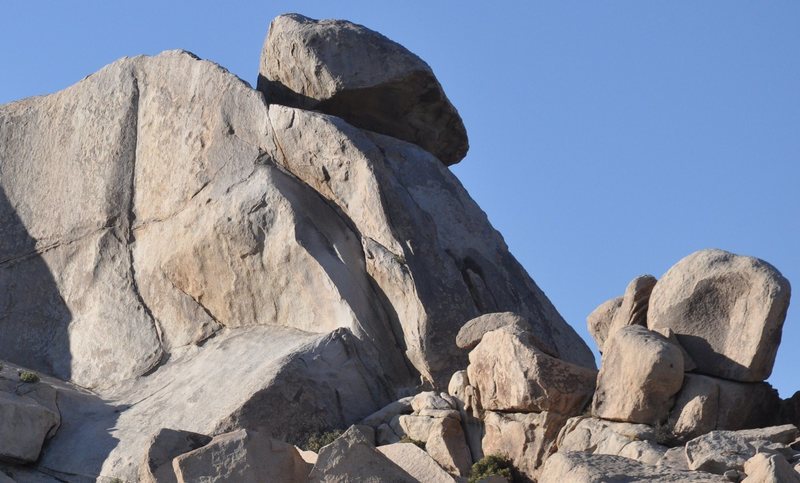 It's taken a lot of pondering for me to figure how to make this a great solid year of climbing. Some combination of guiding/instruction and just heading out with friends... but I'm feeling real focus. There were at least 3 moves on the rock yesterday that I never would have figured out on my own. One was so unlikely that I just had to listen to Bob step by step... follow directions... because it was just too weird. Before I knew it, I was up and over the hard part. Just like in the gym, it's been cool to let go, surrender... be a student, not try to run the show. We've agreed upon some goals... some of those Houser routes, and some others similar in grade... right now, I'm trying to build a foundation, mostly of a progression of 10a's. I'd like to take some time to build a few other skills that will allow me to more gracefully climb different style of routes like Sexy Grandma. (climbed it, but it wasn't pretty). And Double Cross is still there... at this point that should go much easier than it has. But there's time.... I was thinking about this gym/outdoor climbing discussion. Much as I miss the gym... I just realized yesterday that it has been a huge relief not to have injuries! Suddenly it occurred to me that I haven't had to ice my shoulder, brace it, spend nights with it throbbing, tape sore fingers, put braces on my knees. Maybe it's the natural part of rock, that it conditions the body in a more natural way... ??? dragons. I'll check out your video this morning. But now are we rigging? I was too shy to ask, can't we set up some topropes and lower a 'crew' down, with some decent cameras, to film our history-making climbs? We deserve at least as much as Honnold. 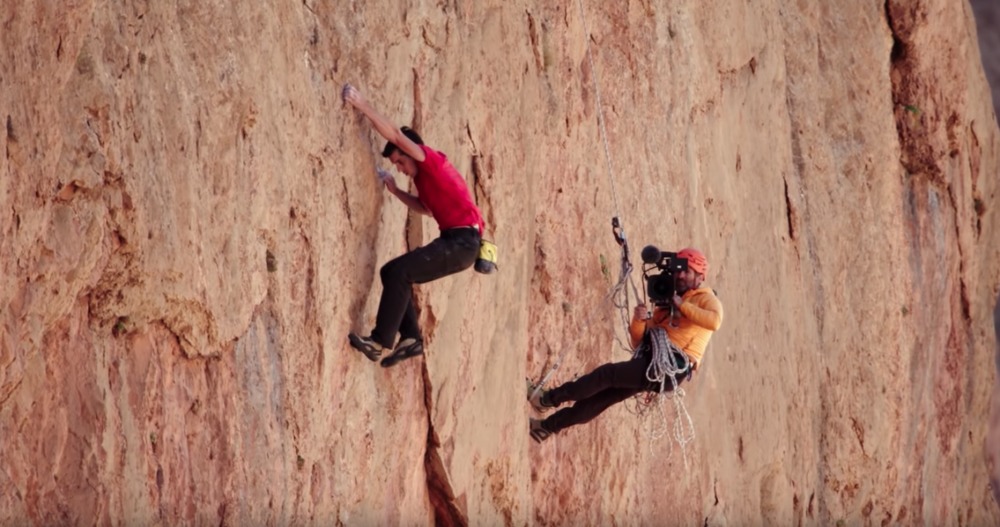 |
|
|
Lori Milas wrote: That is the plan! But to lower a crew down, you need more than the climber and belayer. Lacking that, you rig up the camera on the wall in advance and start it recording prior to the climb. |
|
|
Lori, to refresh your memory: The route you saw my handsome figure on a while back is not all that near Space Odyssey. In your photo above, it is a thin crack barely visible on the shaded face in the middle of the picture. It's called Circus, rated 5.2, and is a very nice easy route that takes you to the tippy-top of Cap Rock. From there you can set a TR on The Ayatollah, which at 5.11b/c is 4 or 5 grades harder than anything I can do on my best day. Let me remind you that you are welcome to join me and my friends whenever you wish. We always do a range of routes that would include some I'm sure you would enjoy. |
|
|
Lori Jean and I just got back from a couple of days climbing at the Red River Gorge. We were extremely lucky with the weather. Jean wants to go back again since we had such a great time climbing. We meet up with our married friends, Angel and Eric. I taught Eric how to trad climb about 15 years ago. He is doing 5.10s and on sighted most of them. We did a lot of sport climbs at the Red. Almost all of them were either vertical or slightly overhanging. Here are only a couple of photos. Jean 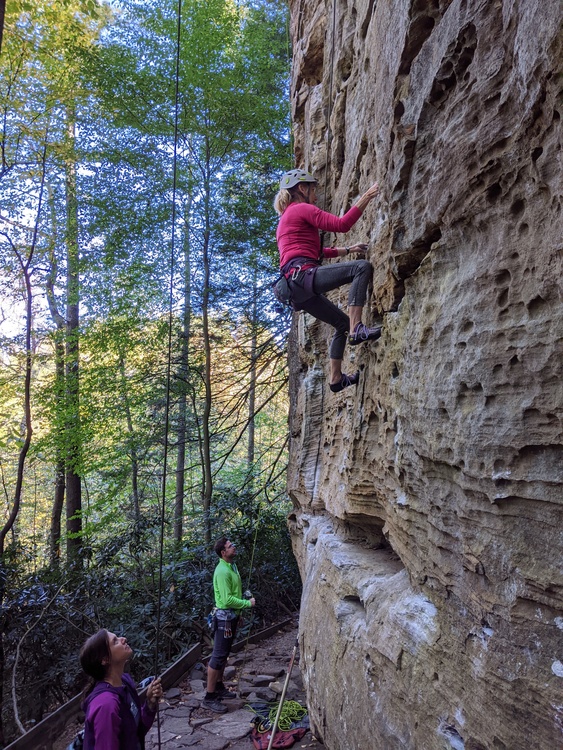 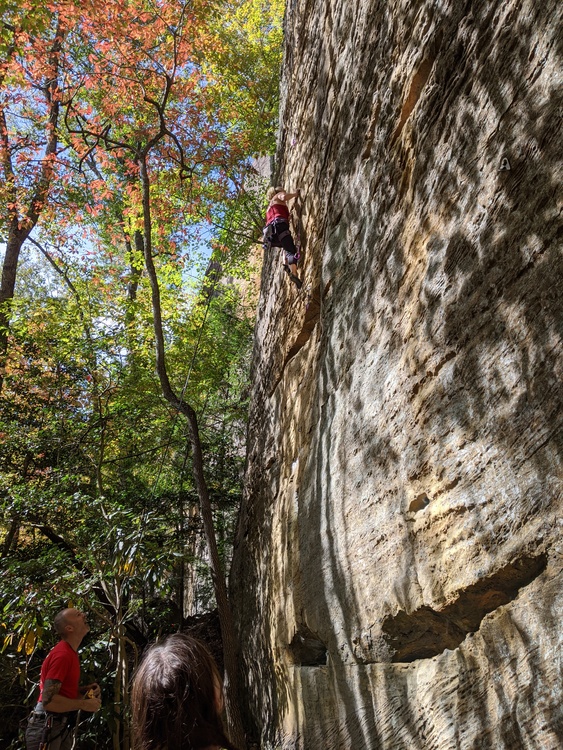 Angel just cleaned a overhanging 5.10. You can see how overhanging as it is when she is lowered. 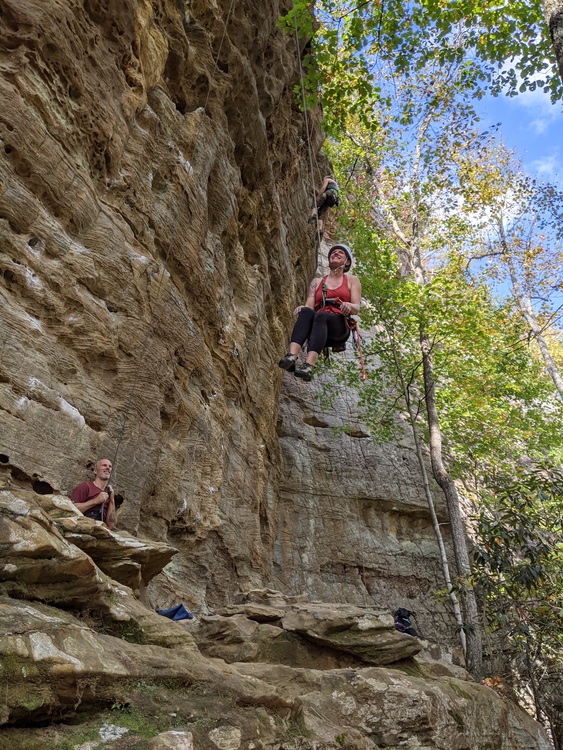 John |


